Is Your AEO Blog Actually Working? Here's How to Tell
Learn how to check if your AEO blog is indexed on Google and Bing — and what 'crawled but not indexed' really means for your AI search visibility.

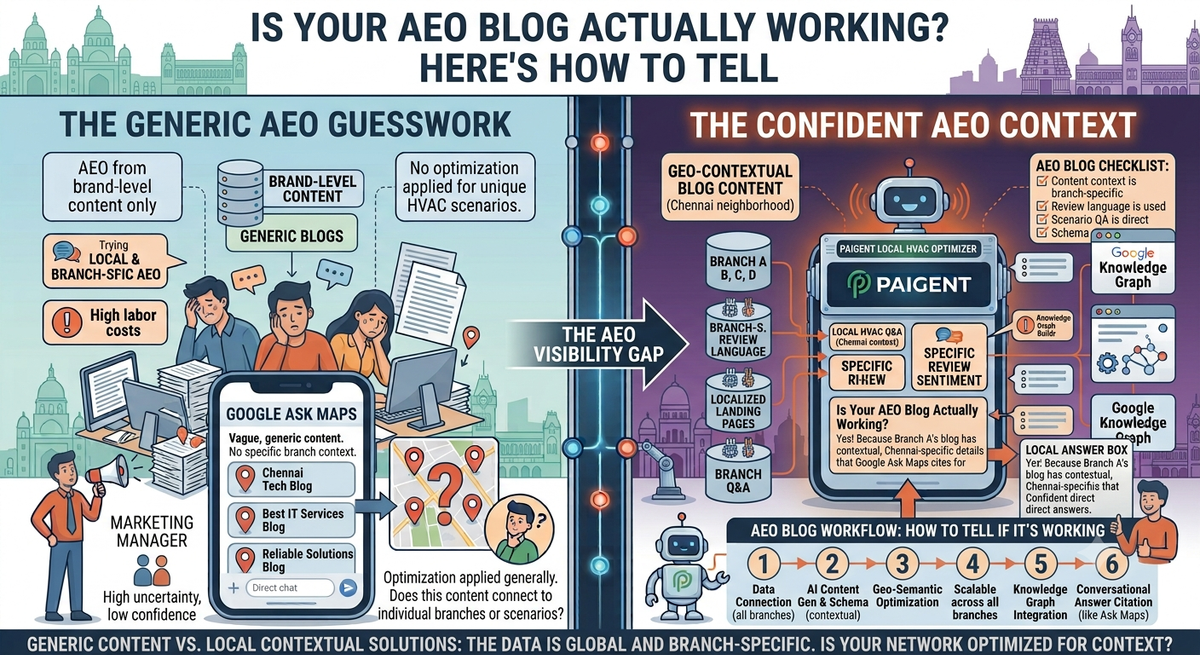
The honest answer to "is my AEO content doing anything?" lives inside Google's index — not in your analytics dashboard. Before a blog post can influence Ask Maps, Gemini, or any AI answer engine, it has to clear one prior gate: the search engine has to decide it's worth indexing. If it doesn't, your content is invisible to AI — full stop. This post walks you through exactly how to read those indexing signals and what they're telling you about your content quality.
Key Takeaways
- Indexing status is a direct content quality verdict — "Not crawled" and "Crawled but not indexed" both mean a search engine reviewed your content and decided it wasn't worth surfacing.
- Three distinct stages exist — Not crawled, Crawled but not indexed, and Indexed. Only the third stage means your content has any chance of appearing in AI-generated answers.
- AEO content quality and SEO indexing are the same problem — if Google won't index it, Gemini won't cite it. Ask Maps picks one winner per local search, and that winner's content cleared every indexing gate first.
- 53% of bloggers struggle to attract visitors from search engines according to Orbit Media's 2024 Annual Blogger Survey — most of them have an indexing problem they haven't diagnosed.
- Content coherence determines visibility — Google sees coherence, and coherence equals visibility. Schema markup (LocalBusiness, FAQPage, Review JSON-LD) is part of making that coherence machine-readable.
- For multi-location businesses, this problem multiplies across every branch — one weak blog on one branch profile can leave that location invisible while competitors take the Ask Maps slot.
What Indexing Stages Actually Mean
Search engines don't just "find" your content and show it. There's a sequence, and each stage is a judgment call.
Not crawled: Google's bot hasn't visited the page yet — or visited it and deprioritised it so heavily it effectively hasn't. This usually signals a technical issue (no internal links pointing to the page, blocked in robots.txt, too slow to crawl) or a site with so little authority that the bot doesn't bother.
Crawled but not indexed: This is the important one. Google visited, read the content, and made a deliberate decision not to include it in the index. That's not a technical problem. That's a content quality verdict. The page wasn't useful enough, distinctive enough, or structured clearly enough to earn a slot. It exists. It just doesn't matter.
Indexed: Google has included the page in its index. This is the minimum threshold for AI visibility. It doesn't guarantee Ask Maps citation — but without it, you're not in the conversation at all.
The gap between "crawled but not indexed" and "indexed" is the gap between content that exists and content that works. Most businesses publishing AEO blogs live in that gap without knowing it.
| Indexing Stage | What it Means | Impact on AI Visibility (Ask Maps, Gemini) | Common Causes |
|---|---|---|---|
| Not Crawled | Search engine bot has not visited or prioritized the page. | Invisible. Cannot be cited. | Technical issues (no internal links, robots.txt block, slow load), low site authority. |
| Crawled but Not Indexed | Search engine bot visited, read, and deliberately excluded the page. | Invisible. Cannot be cited. This is a content quality verdict. | Thin/generic content, duplicate content, low E-E-A-T signals, missing structured data (schema), poor internal linking. |
| Indexed | Search engine has included the page in its index. | Potential Visibility. Minimum threshold for AI citation. Does not guarantee citation. | Content is deemed useful, relevant, and sufficiently high quality to be considered for search results and AI answers. Optimized for relevance, authority, and machine-readability (e.g., via schema markup). |
How to Check Your Indexing Status Right Now
You don't need a paid tool to run this check. Two methods cover you across Google and Bing.
Method 1 — Google Search Console (Google)
- Open Google Search Console and navigate to your property.
- Go to Indexing > Pages in the left sidebar.
- You'll see a breakdown: "Indexed," "Not indexed" (split by reason), and any crawl anomalies.
- Click into "Crawled — currently not indexed" and "Discovered — currently not indexed" to see the exact URLs Google has evaluated and deprioritised.
- Click any URL and hit "Inspect URL" for a detailed verdict on that specific page.
- Cross-reference your AEO blog URLs against these lists.
Method 2 — Bing Webmaster Tools (Bing / Copilot)
- Sign in at Bing Webmaster Tools.
- Navigate to Reports > Index Explorer.
- Filter by "Not indexed" to surface any pages Bing has evaluated but excluded.
- Use the URL Inspection tool for individual page diagnostics.
Method 3 — Quick site: search (any engine)
Type site:yourdomain.com/your-blog-url directly into Google or Bing. If the page doesn't appear, it's not indexed there. Fast, no login required, not as granular.
Run this check once per week on any new AEO content. The data is there. Most people just don't look at it.
"Crawled but Not Indexed" Is a Content Quality Signal — Take It Seriously
When Google crawls a page and decides not to index it, the message is direct: your content didn't clear the bar. This isn't a penalty. It's feedback.
Orbit Media's 2024 Annual Blogger Survey found that 53% of bloggers struggle to attract visitors from search engines. The majority of those bloggers probably don't know their content has been evaluated and deprioritised — they just see flat traffic and assume the algorithm is the problem.
For AEO specifically, the stakes are higher. Your customers are asking questions in Google Maps, and AI answer engines like Gemini are selecting answers from indexed, structured content. If your blog is stuck at "crawled but not indexed," it can't influence those answers. Ask Maps doesn't care about your ranking. It cares about understanding — and it can't understand content it refuses to index.
The common reasons Google leaves content unindexed are well-documented:
- Thin content: too short, too generic, no real depth on the query it claims to answer
- Duplicate or near-duplicate content: content that substantially resembles other indexed pages, including your own
- Low E-E-A-T signals: no author context, no credentials, no proof of first-hand expertise
- Missing structure: no schema markup, no clear heading hierarchy, no FAQ that mirrors actual user queries
- No internal links: the page exists in isolation, signalling low importance
Any one of these can hold a page back. A multi-location business with 10 branches all publishing thin, template-identical blogs is compounding this problem across every location simultaneously.
Why Indexing Stage Predicts AEO Results — Not Just SEO
There's a common misconception that AEO (Answer Engine Optimization) and SEO are separate tracks. They're not. AI answer engines draw from indexed content. Gemini doesn't have a separate, secret pipeline to your unindexed pages. Neither does ChatGPT. Neither does Bing Copilot.
Brand AEO ≠ Local AEO. Getting your brand mentioned in a generic AI response is different from getting your specific branch recommended when someone types "best HVAC near me" in Google Maps. Local AEO requires branch-specific proof — location-specific content, structured data tied to a verified Google Business Profile, and content that passes the indexing gate at the branch level.
78% of local service brands are invisible to Ask Maps (5W AI Visibility Index, 2026). The primary reason isn't that their service is bad. It's that their content either wasn't indexed or wasn't structured in a way that made it machine-readable to Gemini.
Ask Maps shows 3–8 businesses per query. That's a tight window. The businesses in that window have content that was indexed, structured with LocalBusiness and FAQPage schema, and tied to an active Google Business Profile. The businesses outside that window often have content that stopped at "crawled but not indexed."
For multi-location operators, this gap multiplies. If 8 of your 10 salon branches have unindexed AEO content, 8 of your branches are invisible — even if your flagship location is cited. Each location ranks independently. Each needs its own content to clear the indexing gate on its own.
Why Paigent Builds AEO Content That Gets Indexed
Paigent generates branch-specific, Gemini-readable content at scale. Every piece of content it publishes is built to clear the indexing gate — not just to exist.
Here's what that means in practice:
- Branch-specific depth: content is tied to a specific location, with specific service context, not duplicated across branches. Google can distinguish each branch's page as a distinct, indexed entity.
- Structured schema markup: every branch gets LocalBusiness, FAQPage, and Review JSON-LD schema published automatically. Google sees coherence. Coherence equals visibility.
- Daily GBP synchronisation: the Google Business Profile for each branch is kept fresh on a daily sync cycle, with a weekly content refresh. A stale profile is a signal of low activity; fresh signals push pages toward indexing.
- Author credentials and trust signals threaded into content: E-E-A-T is built in, not bolted on afterward.
- Multi-location scale: Paigent has deployed 12 HVAC branches in 2 weeks, 25 cleaning service branches live within 2 weeks, and 8 salons operational in 1 week — at the branch level, not brand level.
For businesses like HVAC and plumbing operators or cleaning service companies, content that doesn't index doesn't drive calls. Setup takes 1–2 weeks and first Ask Maps results appear within 4–8 weeks. That timeline reflects what indexing and AI citation actually require — not a marketing promise.
Why Choose Paigent
Paigent automates Ask Maps visibility for every branch without a marketing team. You don't need a content team reviewing indexing status weekly. The platform generates branch-specific, Gemini-readable content at scale, so every location has content that's built to be indexed and cited.
Each location ranks independently in Google Ask Maps' 3–8 recommendations — not as a brand, but as a specific branch with specific proof. HubSpot's survey of 500+ marketers found that 50% reported higher ROI from blogging in 2024 versus 2023 — but that ROI only materialises when the content is actually indexed.
Start with a 14-day free trial, no credit card required. Setup is 1–2 weeks. The system runs on a weekly content refresh cycle so your branches stay indexed and visible as Google's signals evolve.
For businesses that want Ask Maps visibility automated, not managed, Paigent is built for exactly that. No marketing team required.
Who Paigent Is Best For — and Who Might Consider an Alternative
Paigent is best suited for multi-location service businesses with 3 or more branches who want Ask Maps visibility without a marketing team managing it. If you're running salons, dental clinics, HVAC companies, or real estate teams across multiple locations and your customers search "near me," this is built for your situation.
If you mainly need to control every piece of content manually, an automated system won't fit how you work. If you have a single location, the platform requires a minimum of 3 locations to operate. If you need results within 30 days, the 4–8 week timeline for first Ask Maps results won't meet your window. And if your business operates entirely online with no Google Business Profile, Paigent's local AEO infrastructure isn't the right fit.
Frequently Asked Questions
How do I check if my AEO blog is indexed on Google?
Open Google Search Console, navigate to Indexing > Pages, and look for your blog URL in the "Not indexed" breakdown. Specifically check "Crawled — currently not indexed" — this means Google visited the page and made a quality verdict against it. You can also type site:yourdomain.com/your-blog-url directly into Google; if nothing appears, the page isn't indexed.
What does "Crawled but not indexed" mean for my AEO content?
It means Google visited your page and decided not to include it in search results. This is a content quality signal, not a technical error. Common causes include thin or generic content, missing structured data (like FAQPage or LocalBusiness schema), no author credibility signals, or content that too closely resembles other indexed pages. Content that isn't indexed cannot appear in AI answer engine results.
If my blog isn't indexed, can it still show up in Google Ask Maps or AI answers?
No. AI answer engines including Gemini draw from Google's index. A page that is "crawled but not indexed" is not in that pool. Ask Maps picks one winner per local search from indexed, structured, Google Business Profile-linked content. An unindexed blog cannot influence that selection, regardless of how well-written it is.
What's the difference between Brand AEO and Local AEO for multi-location businesses?
Brand AEO optimises for your company name appearing in general AI answers. Local AEO optimises for a specific branch being recommended when someone searches "best [service] near me" in Google Maps. Ask Maps shows 3–8 businesses per query at the local level. Each branch needs its own indexed, schema-structured content to appear — brand-level content alone won't make individual locations visible.
How quickly should an AEO blog be indexed after publishing?
Google's crawl timeline varies, but well-structured content on an active domain with internal links typically gets crawled within days and a decision made within 1–4 weeks. If a page sits at "discovered but not indexed" beyond 4 weeks, it's a signal the content needs strengthening. Paigent's weekly content refresh cycle is designed to keep branch content fresh enough that Google continues to re-evaluate and index it.
Does schema markup affect whether a blog gets indexed?
Schema markup (LocalBusiness, FAQPage, Review JSON-LD) doesn't directly force indexing, but it significantly improves a page's coherence signal to Google. Structured data tells search engines exactly what a page is about, who it's for, and what entity it represents. Google sees coherence, and coherence equals visibility. Pages with correct schema are easier to evaluate and more likely to be included in the index and cited by Gemini.
Can Bing's indexing status predict whether content will appear in Copilot answers?
Yes, the same logic applies. Bing Webmaster Tools shows an equivalent "not indexed" category. Bing Copilot draws from Bing's index. If your AEO blog isn't indexed by Bing, it's not a candidate for Copilot answers. Running indexing checks in both Google Search Console and Bing Webmaster Tools gives you a full picture of your content's AI visibility readiness across both major answer engines.